

Exodus
www.exodus.com
NZ's most trusted crypto software wallet.
Your crypto is only as safe as your wallet. Before you buy Bitcoin, Ethereum or anything else, you need to understand where it actually lives, and how to make sure only you can access it, and you can get back in if something goes wrong. CNZ has been testing wallets since 2017.
This is what we know.
In our opinion, the safest, easiest and most reliable crypto wallets for Kiwis are Exodus and MetaMask for day-to-day use. For serious long-term storage, see our hardware wallet guide.
NZ's most trusted crypto software wallet.

The world's most trusted wallet for interfacing with Web3.
A crypto wallet is a digital account where you store your Bitcoin and other cryptocurrencies.
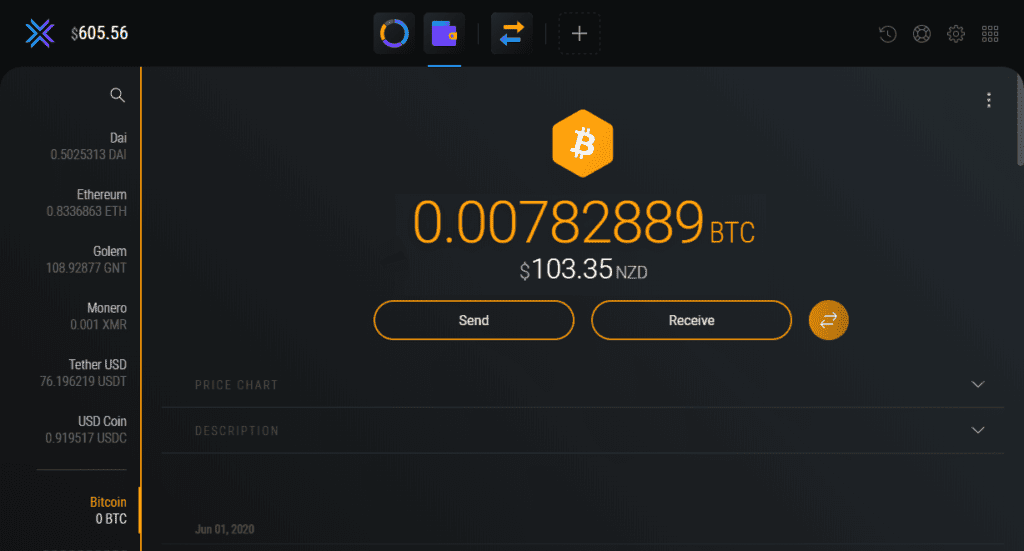
Your crypto wallet is where you receive payments in and send transactions out, acting as your heart of operations for interacting with the cryptocurrency world.
Virtual assets like Bitcoin, Ethereum and Monero aren't stored in banks, but rather in privately controlled user wallets.
This provides cryptocurrency users with an unparalleled level of asset security and ownership, all while changing the way millions of people store and transfer value across the globe.

Crypto wallets are free to create and safe to use when set up correctly, and you can have as many as you'd like. Best of all - no one can stop you from setting one up, sending, or receiving payments.
There are 7 main types of crypto wallets, ranging in ease of use, security and convenience.
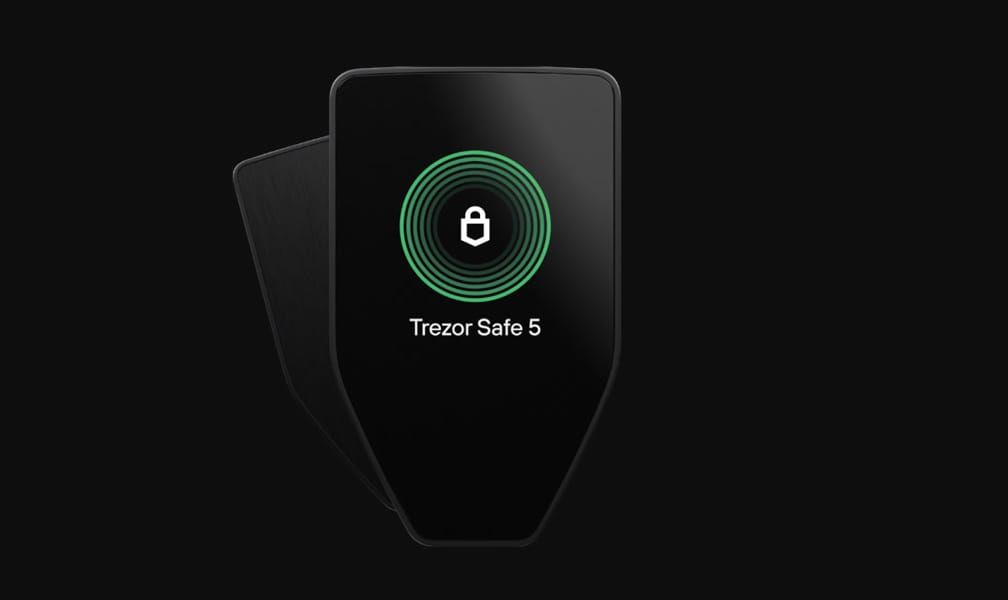
Hardware crypto wallets are physical devices that store your cryptocurrency keys offline inside the device. They are the apex of NZ crypto security - the most secure wallet type available. If youre holding large amounts long term, use our hardware wallet guide for CNZ's recommendation and safe buying advice.
Mobile crypto wallets are free, IOS or Android based wallets that you operate from your phone or tablet, mainly used for making fast and easy payments on the go. Mobile wallets like Exodus are only as secure as your device is; if it's compromised, has malware or third party access, your crypto wallet and funds are at risk. Consider only storing small amounts of coin in them like you would your physical NZD wallet.
Desktop crypto wallets like Exodus are wallets that you operate on your laptop or PC. Desktop wallets make ideal first wallets for Kiwi crypto newcomers, offering a safe and easy sandbox for diving deeper into other more secure wallet types. You can back them up securely, but again they are only as secure as your device is.
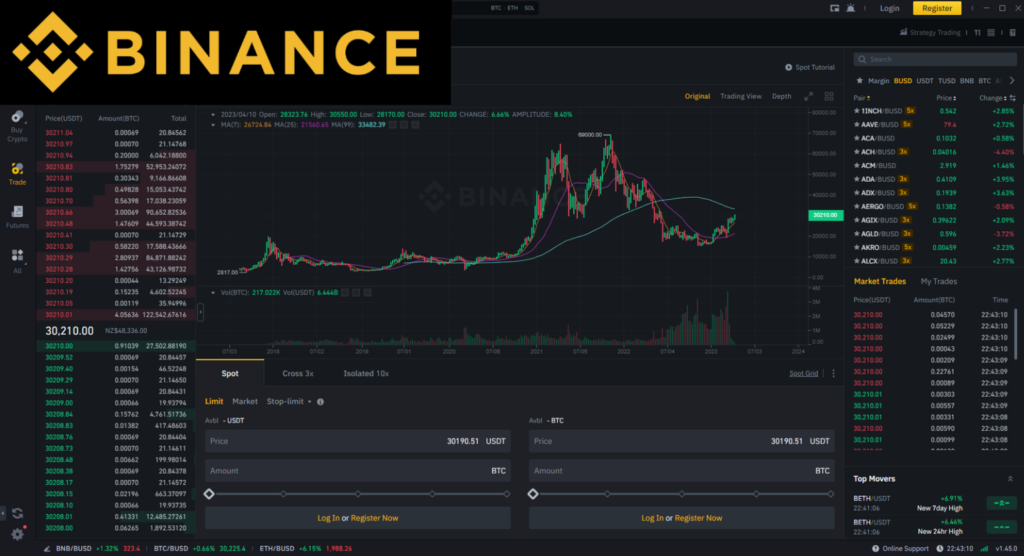
Exchange crypto wallets, such as your wallet on an exchange like Binance, are custodial wallets located on exchanges. Also known as your exchange account. In crypto, theres an age old saying; not your keys, not your crypto. Exchange wallet keys are held by exchanges, tied to your account, so in the case that your exchange is hacked, like with Cryptopia, Bitfinex or Mt Gox, your funds are at risk.
Web cryptocurrency wallets are website-based online wallets which are accessed through a browser interface without having to download or install any programs. We do not recommend using web wallets as they rely on a secure internet connection and device. They are much more more susceptible to attacks and hacks; a prime example of this is the infamous Celsius Phishing Attack.
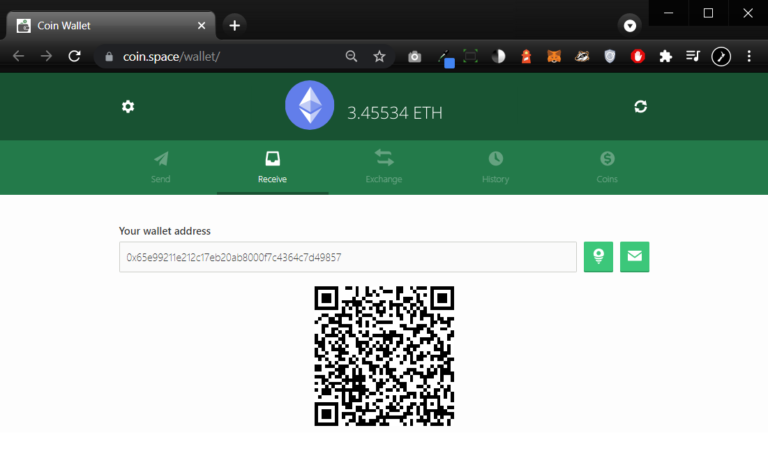
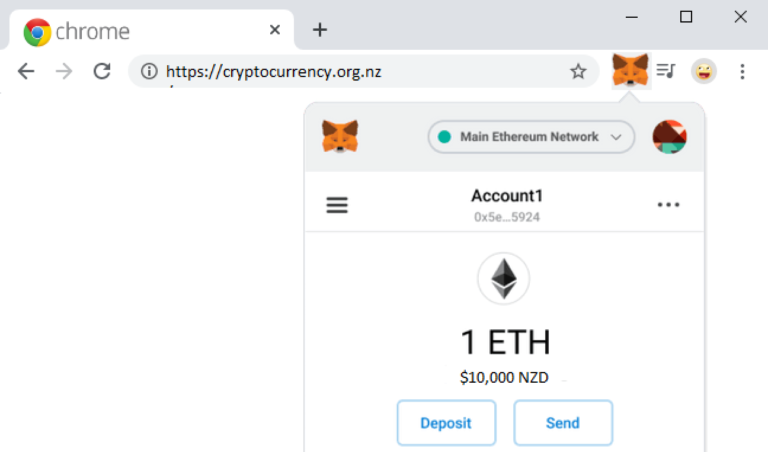
Browser extension crypto wallets are similar to web wallets, except rather than going to a website to view and control your assets, they are accessible through a web extension in your web browser (such as Brave, Firefox, Safari or Chrome). Useful for interacting with decentralized exchanges, browser extension wallets like MetaMask are an integral part of any crypto investor's crypto wallet toolkit.
A paper wallet is the rawest form of cryptocurrency wallet available in New Zealand, comprised of the two core components that make up every cryptocurrency wallet; A public and private key pair….
Public key
1A1zP1eP5QGefi2DMPTfTL5SLmv7DivfNa
Private key
5Kb8kLf9zgWQnogidDA76MzPL6TsZZY36hWXMssSzNydYXYB9KF
Example keys only. Never share your real private key.
⚠ Critical: This section covers the fundamental mechanics of how cryptocurrency actually works. Most people skip it. Most people who lose crypto wish they hadn't. Read it carefully before you hold anything of value.
A crypto wallet does not actually store your cryptocurrency. Your coins live on the blockchain. What your wallet stores are the keys that prove ownership and authorise you to move them.
Lose your keys and you lose your crypto. Permanently. No support team, no password reset, no bank to call. The blockchain does not care who you are; only whether you have the right keys. This is why everything in this guide exists.
Until now you have accessed online accounts with an email and password. In crypto, that system is replaced by a public and private key pair. Every new wallet generates a unique pair. That pair is your identity and signature on the network.
Your public key is like a bank account number - an address others use to send crypto to you. It's safe to share because sending funds always requires your private key, not the address itself - so no one can move money just by having it. However, anyone with it can also see your balance and transaction history.
Example: 1A1zP1eP5QGefi2DMPTfTL5SLmv7DivfNa
Your private key is like your password; required to authorise outbound transactions. Never share it with anyone, ever. The security of everything you hold depends on how safely you store this.
Example (never share yours): 5Kb8kLf9zgWQnogidDA76MzPL6TsZZY36hWXMssSzNydYXYB9KF
Below is locating a public key in Exodus; this is what you give anyone sending Bitcoin to your wallet.
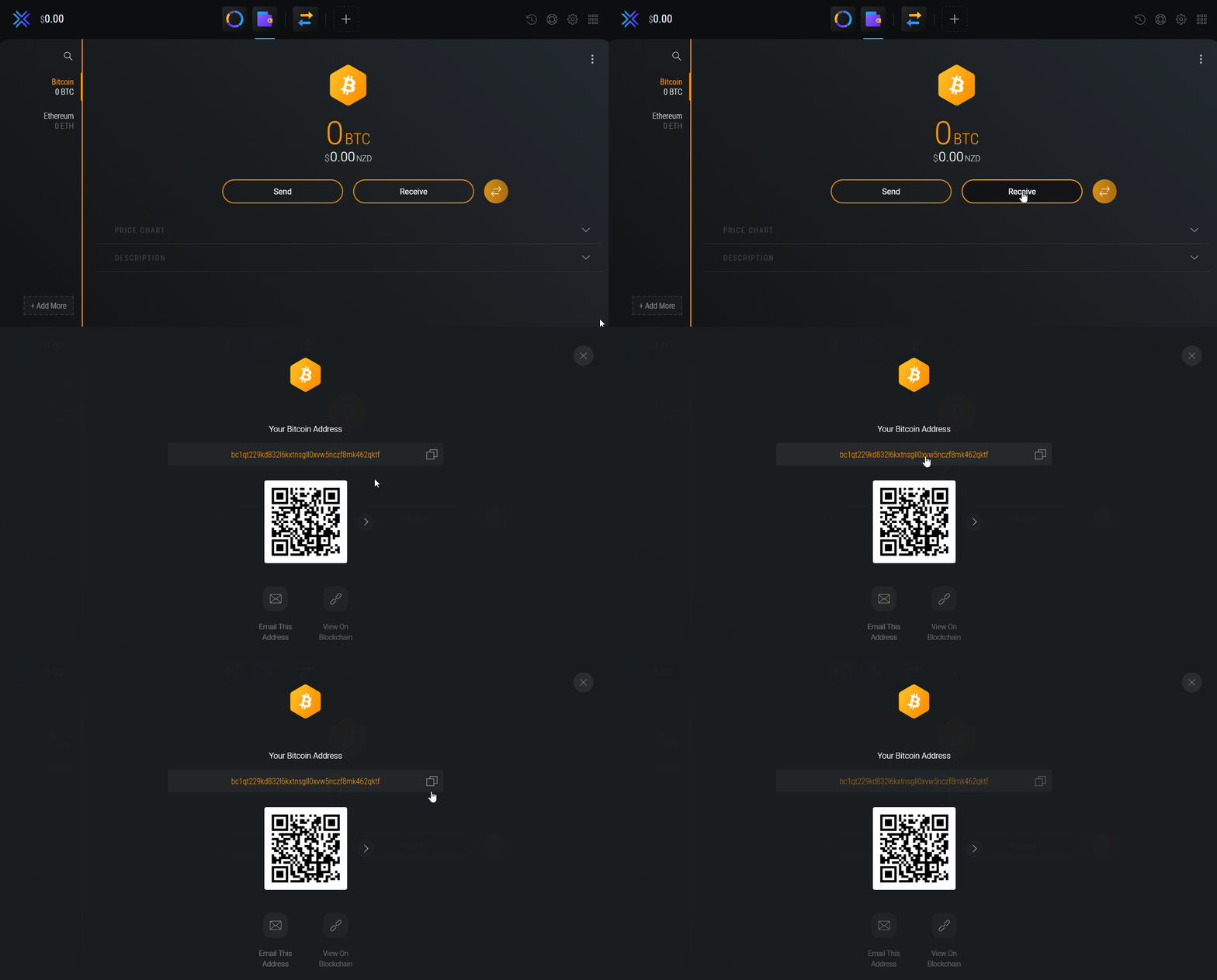
Exodus stores and uses your private key behind the scenes when you send Bitcoin. Your wallet signs off the transaction, and the funds move inside the blockchain. Most wallets do this automatically, which is why the experience feels similar to PayPal or Wise. But unlike PayPal, there is no account recovery if you lose access. Bitcoin payments are irreversible.
Analysts estimate between 11% and 18% of all existing Bitcoin is permanently lost; almost entirely due to lost keys. That number represents real people who had no backup. Seed phrases and hardware wallets exist to make sure you are not one of them.
Hardware wallet for serious holdings - see our hardware wallet guide. Software wallet like Exodus for getting started with smaller amounts.
This decision shapes everything that follows.
If you are holding anything meaningful, start with hardware.
How to choose your crypto walletHardware wallets in NZThis step matters more than most people realise. Your wallet is only as secure as the device it runs on.
Best practice for serious holders: buy a dedicated device used only for crypto. A cheap $300 Chromebook running Linux is genuinely more secure than an expensive Windows laptop full of apps, workplace monitoring software, and Microsoft Copilot sending data to the cloud.
If you are holding significant value, a dedicated crypto device is not paranoia. It is basic operational security.
Hardware wallets from trezor.io only (see our hardware wallet guide). Exodus from exodus.com. MetaMask from metamask.io.
Never follow a third party link to download wallet software.
Never install a wallet from an email, a Discord DM, or a search ad.
Fake wallet apps are one of the most common vectors for crypto theft.
Always navigate directly to the official website yourself and verify the URL before downloading anything.
If buying a hardware wallet, buy direct from the manufacturer or a verified NZ reseller.
Never buy second hand; devices can be pre-compromised.
For hardware wallets: follow the manufacturer's instructions that come in the box. The device will walk you through initialisation. Do not follow instructions from any other source.
For software wallets: download, install, and launch. Follow the on-screen setup. Take your time; do not rush through this step.
Do not let anyone watch you set up your wallet. Do not do it on a video call. Do not screen share.
When your wallet generates a seed phrase (12 or 24 words), stop everything and write it down by hand. This is the most important step in the entire process.
Your seed phrase is not just a password. It is the master key that mathematically derives every private key in your wallet. Every address, every coin, every transaction you will ever make from that wallet flows from this single sequence of words.
The specific words in the specific order generate your private keys through a cryptographic process; change one word, change the order, and you access an entirely different wallet with no funds in it.
This is why the phrase must be recorded exactly as shown, word for word, in the correct sequence.
The method that minimises errors: write three columns side by side on the same page. Write each word three times across the columns before moving to the next word. You now have three verified copies of each word in sequence, and three full copies of your seed phrase on the same sheet.
Transcribe each column onto its own separate piece of paper or backup medium. You now have three independent copies.
Never:
A digital copy of your seed phrase is a liability, not a backup.
Even an encrypted digital copy is a risk. Paper in a secure location is the standard.
How to backup your crypto walletThree copies. Three locations. Each location should be independently secure and able to survive a different category of disaster.
Examples:
This protects you against fire, flood, theft, and natural disaster simultaneously. If one location is compromised or destroyed, two remain. This is not extreme; it is the standard for anyone serious about long term crypto storage.
Do not store all three copies in the same building.
Before you put anything of value into your wallet, verify your backup actually works.
Reset your wallet or use a second device and restore from your seed phrase.
Confirm you can access the wallet and that the correct addresses are restored.
If something is wrong with your backup, you want to find out now, not after you have loaded funds.
This step takes ten minutes and could save everything. Do not skip this step.
Set your local currency to NZD so balances display in familiar terms. Select which coins are visible in your interface.
Enable two-factor authentication wherever it is available.
On hardware wallets, set a PIN and enable the passphrase feature if you are comfortable with the added complexity.
These settings do not affect security directly but they make your wallet easier to use correctly day to day.
Before sending any meaningful amount to your wallet, send a small test ($10 or less).
Confirm it arrives at the correct address.
Check the transaction on a block explorer if you want to verify it on-chain.
Crypto transactions are irreversible.
A test transaction costs almost nothing and confirms your setup is working before you move real value.
Once you have bought crypto on an exchange or retailer, transfer it to your wallet. Do not leave it sitting on the platform.
Exchanges get hacked.
Platforms go under.
FTX, Cryptopia, Mt Gox; the pattern repeats.
Your wallet is the only place where you actually control your crypto.
Not your keys, not your coins. That is not a slogan. It is the entire point of crypto.
Essential: If you lose access to your NZ Bitcoin / crypto wallet, such as by losing your private key - you will be locked out of your crypto wallet forever.
So taking the time to properly set up your NZ crypto wallet becomes the foundation that your crypto experience will rest on. Do it right, never do it again.
If you plan to hold your crypto long term, for say 10 years+, you will want to consider how you can safely backup your wallet if your devices become obsolete.
We do not recommend storing your private key in your phone notes, as these can be easily compromised by viruses, malware, theft, or $5 wrench attacks.
Always download or buy your wallet from a reputable source, app store or official hardware wallet merchant. Don't take risks on dodgy, off brand software.
Backup your wallet's seed-phrase or private key in a secure, offline location, such as on a hardware wallet or as a paper wallet stored in multiple secure places.
Take a read of our wallet back-up guide, where you can learn how to safely backup your wallet pass-phrase, private keys and passwords.
Read our NZ Wallet Backup Guide →Consider using separate crypto wallets for each different coin you hold, to minimize risk of exposure if one of your wallets is compromised.
Never ever get someone else to set up your crypto wallet for you, as it's very easy for bad actors to screenshot your private keys, and wait for you to top it up.
In crypto, almost all scams revolve around bad actors trying to trick or fool you into sharing your private key. Always beware of other people's intentions.
There is no such thing as the "Official Bitcoin Wallet" or "Official New Zealand Crypto Wallet", these are words used by scammers. Use a wallet from this guide.
If anyone you don't know, or have never met, ever messages you out of the blue to discuss crypto, they are 100% scammers.
The safety of your crypto wallet is what stands between your money and scammers; feeding them money or information will only make them return.
Use secure and reputable exchanges to buy, sell, or trade cryptocurrencies, like Pay It Now or Binance NZ, and transfer funds to your wallet promptly.
Educate yourself about common crypto scams and stay updated on the latest security practices to protect your funds, including understanding P2P scams.
The wallet best suited to you depends on what you want to do with your coins and how much you plan to hold.
For small amounts you spend on the go. Keep only what you need day-to-day; store the rest in desktop or hardware wallets.
Ideal for medium holdings, short or long term. Exodus is our go-to for newcomers at this level.
Cold storage hardware wallets are the benchmark for serious, long-term holdings in NZ. See our dedicated guide for CNZ's recommendation and how to buy safely.
Hardware wallet guide →View our dedicated guide on choosing the right crypto wallet in New Zealand →
Note: $200 means different things to different people. All three tiers above can be safe when backed up properly; security comes down to how you store your recovery phrase and keys.
CNZ recommends Trezor and does not recommend Ledger. Kiwis should buy direct from trezor.io only - never second hand, and never from Trade Me or eBay. Tampered or fake devices are a real risk.
Warning: Fraudulent sites and pre-loaded devices can steal your crypto. Only buy from official manufacturers or trusted merchants listed in our hardware wallet guide.
Multiple copies of your recovery phrase
Keep copies in separate secure locations so one fire or flood does not wipe out your only backup.
Never disclose your private keys
No legitimate service will ask for your seed phrase or private keys. Watch for phishing and social engineering.
Don't keep all your funds in one wallet
Split holdings across wallets; hot for spending, hardware for long-term storage.
Be extremely wary of scams
Verify platforms and senders. Ignore unsolicited giveaways and “support” DMs asking for your seed.
Conduct due diligence on cybersecurity
Keep devices updated, use reputable antivirus, and be careful with email links and attachments.
Double-check destination addresses
Wrong addresses mean permanent loss. Verify twice, especially for different networks and tokens.
Always use a VPN on public Wi‑Fi
Encrypt traffic on public networks when accessing wallets or exchanges.
Don't mix up wallet addresses across chains
Sending ETH tokens to a BTC address (or wrong network) can lose funds. Match the asset and network every time.
Hundreds of wallets exist; in our experience, most Kiwis we meet use one of these:
Unsure which to pick? See our guide to choosing a crypto wallet.
Yes. Software wallets are free to download and use. Hardware wallets cost between $200 and $400 NZD but are the most secure option for serious holders - see our hardware wallet guide for buying advice. All wallets charge network fees when you send crypto; that goes to the network, not the wallet.
For serious long-term storage, a hardware wallet - see our hardware wallets guide. For day-to-day use and getting started, Exodus. For Web3 and DeFi, MetaMask. The right wallet depends on what you are doing and how much you are holding.
The wallet itself is free to use. You pay a network fee when sending crypto; this goes to the blockchain network, not the wallet provider. Fees vary by network and congestion.
Yes. Exodus is trusted by thousands of Kiwis and is one of the most widely used software wallets in the world. It is a solid choice for day-to-day use when backed up correctly. For large long-term holdings, consider a hardware wallet.
Yes. Owning and using a crypto wallet is legal in New Zealand. Using one for illegal activity is not.
Yes. Exodus, MetaMask, and most hardware wallets support multiple cryptocurrencies in a single wallet. Each coin has its own address within the same wallet, all backed up by the same seed phrase.